

Epson WorkForce Error Code 034832 is an Ink Leak Sensor Error.
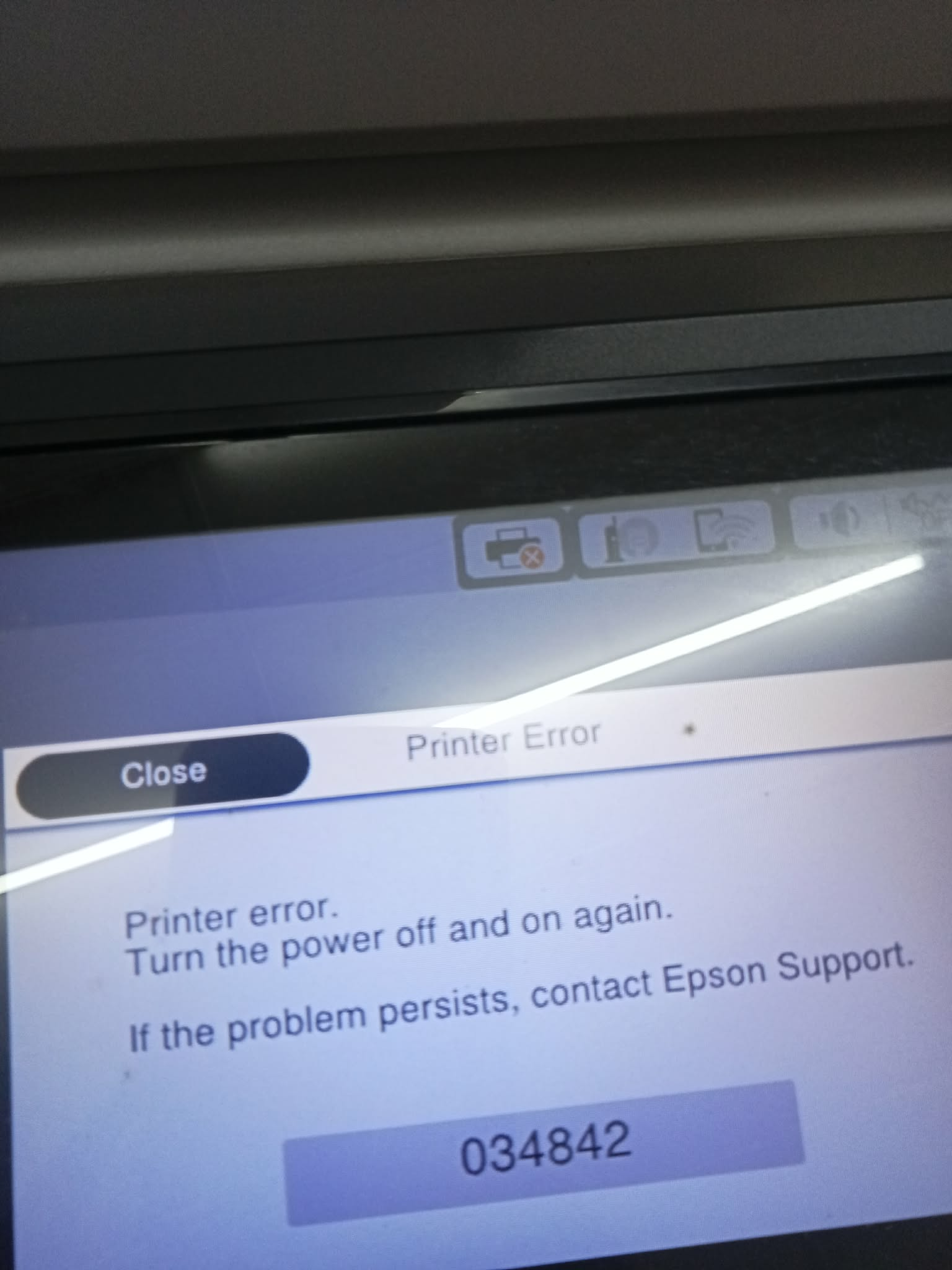
On Epson business inkjet models (such as the WorkForce Pro and Enterprise series), codes in the 0348xx range (034831, 034832, 034841, etc.) indicate that the internal
liquid/ink leak detection sensor has been triggered. This usually happens when ink overflows from the maintenance box or ink supply lines onto the sensor strip
at the bottom of the machine, or when the sensor itself fails.
- Power cycle the machine. Turn the printer off, unplug the power cord from the wall, wait 5 to 10 minutes, and plug it back in to see if a false sensor reading clears. [
- Check and reseat the maintenance box. Open the maintenance box cover, remove the waste ink tank, and inspect the bay underneath for pooled ink or moisture. Wipe any visible ink dry with a lint-free cloth and firmly reinstall the maintenance box.
- Inspect the ink supply packs/cartridges. Pull out the ink cartridges or ink supply units to verify none are leaking, cracked, or improperly seated.
- Clean or replace the ink leak sensor. If ink has soaked into the sensor pad at the base of the printer (common after a heavy ink charge or head cleaning), the bottom cover or side panel must be opened to dry the sensor strip and surrounding tray thoroughly before the error will clear. (Note: If the sensor strip is corroded or damaged, it will need to be replaced).
Products
Technical Support
Download
Contact Us
Xiamen Kreyoly Office Supplies Co.,Ltd
Add: Unit 1707, No.64,Pingshan South Road,HaiCang Dist., 361028 Xiamen,China
Tel:+86-592 6896238
Fax:+86-592 6896236
Mob/WhatsApp/Viber: +86 13860165915
E-mail: info@kreyoly.com
https://www.kreyoly.com


Copyright © 2026 XIAMEN KREYOLY OFFICE SUPPLIES CO.,LTD All Rights Reserved. 闽ICP备2023005318号